AI Code Review Case Study: Building a WordPress Plugin

A real example of an AI code review: genuine WordPress security fixes, and a quiet field-name mismatch only real test data caught.

I write a fair bit about vibe coding in general terms: what it’s good for, where it falls down, how I work with it day to day. All useful, but it’s also exactly the kind of thing that’s easy to nod along to without it really landing. So here’s one real example of an AI code review instead of another general principle.

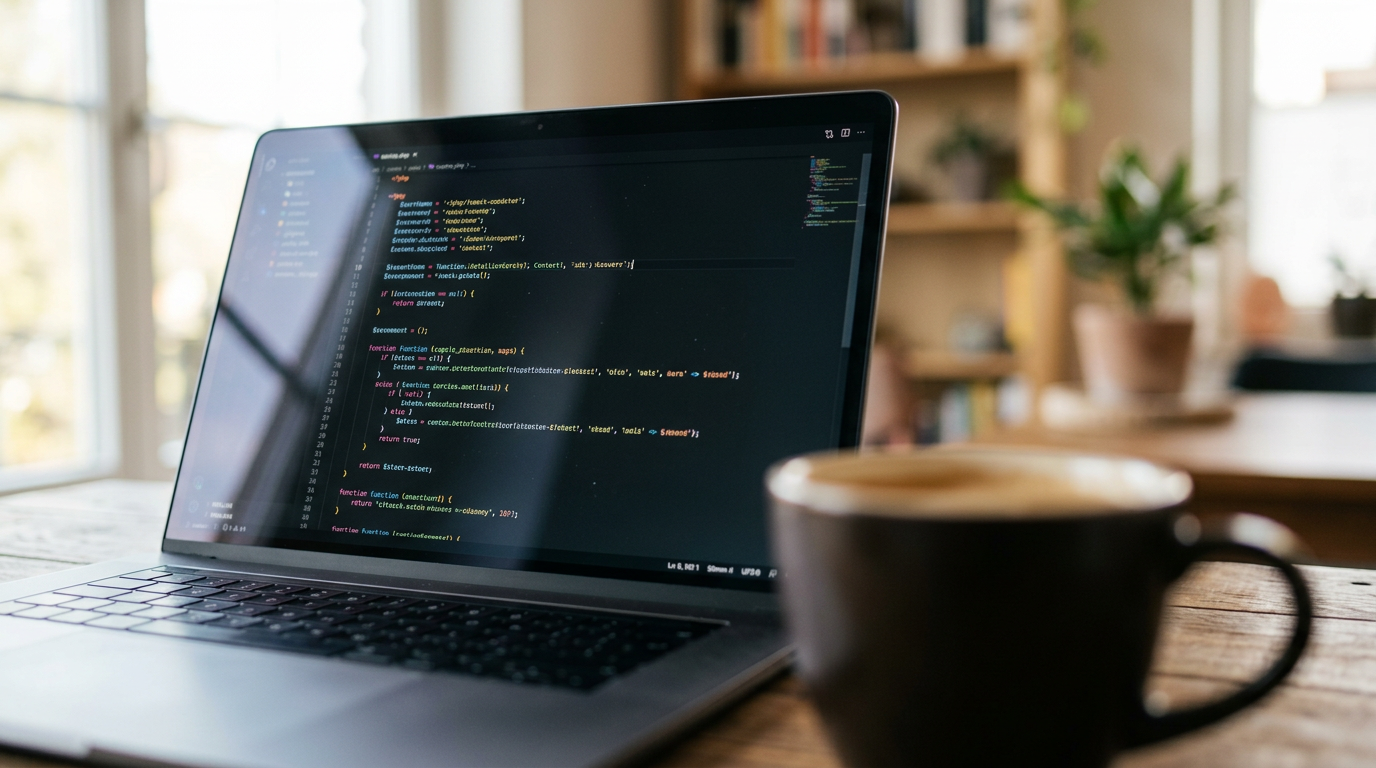
PHP security fix reviewed during an AI code review of a WordPress plugin

Not a hypothetical. The actual back-and-forth that went into an AI code review of the JSON Importer plugin I use to bulk-publish posts to my own WordPress sites (the same tool, as it happens, that imported a recent batch of content for this site). I asked AI to review the existing code, took its findings seriously, made my own calls on what to act on, tested each fix on its own before moving to the next, and still hit a snag that taught me more about the limits of an AI code review than the review itself did.

Why This Is the AI Code Review Example I Keep Coming Back To

I already had a working plugin. Simple enough on the surface: paste a JSON array into a textarea, hit import, and it creates WordPress posts from it, pulling in Yoast SEO fields, categories, and tags along the way. It did the job. I hadn’t looked at it critically in a while.

So I handed the code over and asked for exactly that: dig through it, flag anything wrong, tell me where it could be better. If you want the broader argument this case study sits inside, I’ve laid that out in my vibe coding overview: what it’s good for, where it falls down, and the workflow I actually use. This post is the proof, not the theory.

One thing worth saying up front, because it matters for how this whole exercise went: I didn’t take a list of fixes and bolt them all on at once. Each one went in, got tested properly on its own, and only then did the next one get added. That’s not an AI habit. That’s just how you avoid ending up with three half-working changes and no idea which one broke things.

Where the AI Code Review Earned Its Keep

This is the bit that’s genuinely useful, and it’s worth being specific about why. A security review of your own code, even code you wrote yourself a while back, is exactly the kind of bounded, verifiable task vibe coding is good at. There’s a finite list of known WordPress vulnerability patterns (missing nonces, unsanitised content, capability mismatches), and checking code against that list is mechanical work, not judgement work.

A few of the things the review turned up:

No CSRF protection on the form. Nothing stopped a forged request from outside WordPress tricking a logged-in user into running an import they never intended. The fix is a standard WordPress nonce, checked on submission:

wp_nonce_field('json_importer_action', 'json_importer_nonce');

and then, before anything else runs:

if (
    isset($_POST['import_json']) &&
    isset($_POST['json_importer_nonce']) &&
    wp_verify_nonce($_POST['json_importer_nonce'], 'json_importer_action') &&
    current_user_can('edit_posts')
) {

Three checks, all required, none of them optional. That’s the kind of thing that’s easy to half-implement (add the nonce field but forget to verify it, say), and a careful pass catches that.

post_content going into the database raw. Titles were being sanitised. Content wasn’t. That’s a stored XSS route sitting wide open for anyone who can get content into the import. The fix uses the right function for the job, not a blunt one:

'post_content' => !empty($record['content']) ? wp_kses_post($record['content']) : '',

wp_kses_post() strips anything that shouldn’t be in post content, things like script tags and on* attributes, while leaving normal HTML markup intact. Using sanitize_text_field() here instead would have stripped all the HTML, which isn’t what anyone publishing a formatted post wants.

The Capability Gap That Took Real WordPress Experience to Spot

A capability gap that only shows up if you follow the consequence all the way through. The plugin deliberately allows Authors and Contributors to use the importer, not just Editors and Admins. Fine in principle. But nothing in the original code stopped a Contributor’s JSON from setting status to publish directly, which is exactly the kind of thing the Contributor role exists to prevent. The fix checks the actual capability for the post type rather than trusting the JSON:

$post_type_object = get_post_type_object($requested_type);
$can_publish = $post_type_object && current_user_can($post_type_object->cap->publish_posts);

if ($requested_status === 'publish' && !$can_publish) {
    $requested_status = 'pending';
}

I like this fix more than a flat rejection would have been. It doesn’t fail the whole import because someone aimed too high. It just quietly puts the post into the queue an Editor would expect to review, which is what should have happened anyway.

My Own Role in Getting This Right

That capability gap is the one I’d flag as the clearest example of AI earning its keep here. I’d loosened the restriction for a reasonable-sounding reason (letting more roles use a handy tool) and hadn’t followed the consequence all the way through to what a Contributor could actually do with it. The review caught the gap I’d left.

I want to be straight about my own part in all this too. The list wasn’t something I took and blindly implemented. Every point got read, understood for why it mattered, and judged on its own merits, including which behaviours stayed exactly as I wanted them (categories get created automatically if they don’t already exist, which was my instruction from the start, not something the review suggested).

Where It Quietly Went Wrong

Here’s the part that matters most, because it happened to me, not to some hypothetical careless beginner.

I’d documented my own JSON format separately: posts should use a title field and a status field. Standard stuff for me, second nature, written down in my own notes.

The plugin’s older code was still checking for post_title and post_status, the field names from an earlier version, not my documented spec. Nobody flagged the mismatch during the review, because the review was looking at whether the code was secure and sensible, not whether it matched a specification it had never been shown. Despite all that, the code looked complete, ran without errors, and would have passed a quick glance with no trouble at all.

It failed the first time I actually used it on a real file. Every single record came back “skipped, no post_title,” because the file used title, exactly as I’d specified, and the code was looking for the wrong key entirely.

Why a Clean-Looking Result Isn’t the Same as a Correct One

This is precisely the failure mode I’d point to if someone asked me what’s actually risky about vibe coding. Nothing crashed and no error message pointed at the real problem. The plugin did exactly what it was told, which simply wasn’t what I needed it to do. If I hadn’t tested it against a real file in my real format, it would have sat there looking finished while quietly doing nothing useful at all.

Worth noting too: my own first guess at the cause, before I’d looked at the actual JSON, was wrong. I assumed the array was nested oddly. It wasn’t. The fix only happened once I stopped guessing and looked at the real file.

The Fix the AI Code Review Missed Until Real Data Caught It

Once the actual JSON was in front of me, the fix was straightforward. Check the documented field name first, then fall back to the old one for anything still in that format:

$record_title = $record['title'] ?? $record['post_title'] ?? '';

and the same approach for status:

$requested_status = $record['status'] ?? $record['post_status'] ?? 'pending';

Two lines, and both old and new JSON formats work from here on. It’s quick once you know what’s actually wrong; the finding-out is the part that took the testing.

The lesson isn’t really about JSON keys. It’s about where the actual risk sits in this way of working. The security review (judging code against known, documented vulnerability patterns) was reliable and saved me real time. Matching code against my own specific intent, the bit that only existed in my own notes and never made it into the conversation, was where things slipped through. Vibe coding can tell you your code is insecure against a known checklist, but it can’t tell you your code doesn’t match a spec it was never shown, or wasn’t told to check against in the first place.

That’s the whole argument in miniature: useful for the bounded, checkable work, blind to the context that lives only in your head. Right up until you run it against something real and find out the hard way.

What I’d Do Differently in My Next AI Code Review

If you’re working this way yourself, here’s what this particular case actually changes about how I’ll prompt next time:

  1. State the spec explicitly, every time, even when it feels obvious. I assumed “my JSON format” was implicit context that would carry forward. It wasn’t, because it was never actually given the current spec, only the old code, which had drifted from it.
  2. Paste the real data alongside the real code. A genuine sample of the JSON file would have caught the field name mismatch in seconds, the same way it eventually did once I stopped guessing and showed the actual file.
  3. Treat “looks complete and runs without errors” as a status report, not a result. The plugin satisfied both of those and still did nothing useful. Running it against real data is the only test that counts.
  4. Test each fix on its own before adding the next. This is the habit that kept the rest of this project sane. Bundling several changes together and testing once at the end means that when something breaks, you’re hunting through all of them to find out which one did it.
  5. Use vibe coding hardest for the work with a checklist, lightest for the work that depends on what’s in your head. The security review worked because there’s a known list of WordPress vulnerability patterns to check against. Matching my undocumented intent had no such list, and that’s exactly where it slipped.

None of this is a reason to avoid an AI code review for something like this. The plugin works, it’s in daily use, and it’s measurably more secure than before the review. It’s a reason to know which part of the job you’re still doing yourself.

Vibe Coding for Developers Who Already Know How to Code

A PHP developer’s honest take on vibe coding: what AI is genuinely good for, where it falls down, and the workflow that keeps AI-generated code honest.

I’ve been writing PHP for the best part of twenty years. So when people started throwing the phrase “vibe coding” around, I’ll admit my first reaction wasn’t excitement. It was suspicion.

PHP code editor on a laptop screen, reviewing code written with vibe coding

If you haven’t come across the term, vibe coding is what happens when you describe what you want to an AI in plain English and let it write the code, often without checking the output line by line. It was coined back in February 2025, and depending on who you ask, it’s either the biggest productivity shift software development has seen since version control, or it’s a slow-motion car crash for anyone who doesn’t already know what good code looks like.

Here’s where it gets interesting: both of those things are true, depending entirely on who’s doing the vibe coding.

I should point out at this stage that I’m not writing this as someone who’s scared AI is coming for my job, and I’m not writing it as a cheerleader either. I’m writing it as a developer who’s spent years building things in PHP and WordPress (you can read more about that background on my about page), and who’s spent the last while working out how to use AI properly rather than just using it.

That distinction matters more than anything else in this post. Let me explain why.

Why My Opinion on This Is Worth Anything

Here’s the thing nobody talks about when they’re hyping up vibe coding: the AI doesn’t know if the code it just wrote actually works. Not properly. It knows if the syntax is valid. It knows if the code resembles the millions of examples it learned from. What it doesn’t know is whether that WP_Query call is going to behave itself in your specific theme, whether that database call is sanitised properly, or whether the “working” demo it just produced is one edge case away from falling over in production.

I know those things because I’ve been doing this for years. I’ve made the mistakes already, the hard way, before AI was around to make them for me. That’s the entire reason I can sit down with an AI assistant and get something useful out of it: I can tell the difference between code that works and code that merely looks like it works.

That’s not a dig at anyone learning to code with AI for the first time. It’s just an honest statement of where the value is. If you can’t read the output, you’re not vibe coding. You’re gambling, and you won’t know you’ve lost until the site’s down or the database is full of garbage.

What Vibe Coding Is Actually Good For

Let’s start with the positive, because there’s plenty of it.

Boilerplate and scaffolding. If I need a new WordPress plugin skeleton, a custom post type registered, or a settings page wired up, AI does this faster than I can type it myself. This is the stuff that’s mechanical, repetitive, and well documented. The AI has seen ten thousand examples of exactly this pattern, and it reproduces it reliably.

A second pair of eyes on logic. Sometimes I’ll have a function that’s nearly right but something’s nagging at me. Describing the problem to an AI and asking it to spot the issue is often faster than staring at my own code for twenty minutes. It’s not always right, but it’s right often enough to be worth the thirty seconds it takes to ask.

Translating between languages and frameworks. I know PHP inside out. I don’t know every JavaScript framework that’s come along in the last five years. When I need a bit of vanilla JS to handle something on the front end, AI gets me a working first draft far quicker than me hunting through documentation for syntax I use twice a year.

Explaining other people’s code. Picking up someone else’s undocumented PHP from three years ago used to mean a slow read-through with a coffee. Now I can paste the function in and get a plain-English explanation of what it’s doing, which I then verify myself rather than take on faith.

Writing the dull stuff. Comments, docblocks, README files, basic error handling boilerplate. None of this requires creative thought. All of it benefits from being done well rather than skipped, which is exactly the kind of task AI doesn’t get bored of.

Generating test data and edge cases I wouldn’t think to write myself. Ask for fifty rows of realistic-looking dummy content, or a list of every weird string that might break a form field (empty, massive, full of emoji, full of SQL-looking nonsense), and you get a genuinely useful list in seconds. I’d normally write three or four examples and call it done. AI gives me twenty, and a couple of them are always things I hadn’t considered.

Refactoring with a clear before-and-after. When I know exactly what I want the code to look like after the change, AI is a huge time saver at getting there. “Take this function and split it into three smaller ones, each with a single responsibility” is a task it handles well, because the judgement call (deciding it should be split, and how) was already made by me. It’s just doing the typing.

Notice the theme. Every one of these is a task where I can verify the result quickly, and where being wrong is cheap. That’s not an accident. The moment a task requires judgement I can’t verify in thirty seconds, my approach to vibe coding changes completely, which brings us to the next bit.

Where Vibe Coding Falls Down

Now the bit that doesn’t get said enough, because nobody selling AI tools wants to say it.

It doesn’t know your system. It knows what WordPress code generally looks like. It has no idea about that one quirky function in your theme from 2019, the database structure you inherited from a previous developer, or the three other plugins running on the site that’ll happily clash with whatever it’s just suggested. Every piece of AI-generated code needs to be read with your actual environment in mind, not just trusted because it compiles.

It’s confidently wrong, often. This is the one that catches people out. AI doesn’t hedge the way an inexperienced human developer would. It doesn’t say “I’m not sure this is right.” It writes the wrong code with exactly the same confidence as the right code. If you don’t already know enough to spot the difference, you’ve got no way of telling which one you’re looking at.

Security is an afterthought unless you ask. I’ve seen AI happily generate a form handler with no input sanitisation, no nonce verification, nothing. Ask it to fix that and it will, instantly, which tells you the knowledge is in there. But it doesn’t volunteer it. You have to know to ask, which means you have to already know it matters.

It struggles with anything that needs real architectural judgement. Should this be a custom post type or a custom table? Should this logic live in a plugin or the theme? Is this the right moment to refactor or should we live with the mess for now? These aren’t syntax questions. They’re judgement calls based on years of seeing what goes wrong six months down the line, and AI has no skin in that game. It’ll answer confidently either way.

Long-running, complex builds drift. For a quick function, fine. For something that spans multiple files and grows over several sessions, I’ve watched AI lose track of decisions made twenty minutes earlier in the same conversation, quietly contradicting itself. You have to be the one holding the whole shape of the project in your head, because it isn’t.

Here’s a real example, not a hypothetical. I built a JSON import plugin for WordPress, asked AI to review and rewrite parts of it, and the result ran without a single error, looked complete, and still quietly failed the first time I used it on a real file. The rewritten code was checking for the wrong field names, ones I’d never actually specified. Nothing crashed. Nothing logged an error. It just didn’t do what I needed, and only testing against real data caught it. I’ve written up the full story, mistakes and all, in a dedicated case study, because it’s worth more as a complete example than a paragraph here.

That’s the danger in one sentence: AI-generated code fails silently far more often than it fails loudly, because it’s optimising for “looks right” rather than “is right,” and those two things only reliably overlap when someone who knows the difference is checking.

The pattern across all of these: vibe coding is excellent within a narrow, well-bounded task, and it gets progressively less reliable the more judgement, context, or architectural thinking the task demands. Which is exactly the part of the job that took me years to get good at.

My Actual Workflow

Right, enough theory. Here’s what vibe coding actually looks like in practice when I sit down to build something.

1. I describe the task precisely, including constraints. Not “build me a contact form,” but the specific plugin or theme it needs to sit in, the fields required, what should happen on submission, and any existing functions or hooks it needs to play nicely with. The vaguer the prompt, the more generic and wrong the output. This is the single biggest factor in getting usable code back.

2. I ask for the boring stuff up front. Sanitisation, validation, error handling, nonces if it’s WordPress. I don’t wait to be shown an insecure version and then fix it. I ask for it properly the first time, because I know to ask.

3. I read every line before it goes anywhere near a live site. Not skim. Read. If there’s a function I don’t immediately understand, I ask the AI to explain its own reasoning, and I check that explanation against what I know rather than just accepting it.

4. I test the edge cases myself. What happens with an empty field? A massive input? A user without the expected permissions? AI tests the happy path by default unless you push it. Pushing it is my job.

5. I keep sessions focused. One function, one feature, one fix at a time, rather than one sprawling conversation trying to build an entire plugin from scratch. Shorter sessions mean less drift and less chance the AI’s quietly forgotten a decision from ten messages back.

6. I treat it like a fast junior developer, not an oracle. A genuinely good junior developer who can type at the speed of light, has read every PHP tutorial ever written, and has zero experience of what happens when code meets the real world. I wouldn’t deploy a junior’s first draft unsupervised. I don’t deploy AI’s either.

That last point is the one I’d want anyone reading this to take away above all the others.

A Few Vibe Coding Habits That Make a Real Difference

Beyond the broad workflow, there are some smaller habits that consistently improve what comes back. None of this is complicated, but all of it gets skipped by people who are new to working this way.

Give it the existing code, not just a description. If I’m adding a feature to an existing function, I paste the function in rather than describing what it does from memory. AI matches the style, naming conventions, and structure already in use far better when it can see them, rather than guessing and producing something that clashes with the rest of the file.

State what shouldn’t change. “Add validation to this form handler, but don’t change how the data gets saved to the database” heads off a whole class of unwanted rewrites. Left unconstrained, AI will sometimes “improve” things you didn’t ask it to touch, and you won’t always notice until something downstream breaks.

Ask it to flag its own assumptions. “Tell me anywhere you’ve guessed at something rather than knowing it” is a simple line that surfaces a surprising amount. AI will often quietly assume a database table structure, a function that exists elsewhere, or a value that gets passed in from somewhere else. Most of the time those assumptions are wrong, and most of the time it’ll tell you, if you ask.

Use it to review your own code, not just generate new code. Pasting in something I’ve written myself and asking “what would you flag in a code review here” catches things I’ve gone blind to after staring at the same function for an hour. It’s not infallible, but it’s a genuinely useful extra pair of eyes, going both directions.

What I Use

For the record, I’m not precious about which AI assistant does the work, since the underlying skill (reading the output properly) matters far more than the brand on the tin. What matters more is having an editor or terminal setup where I can move quickly between writing the prompt, reviewing the output, and testing it in a real environment without a lot of friction. The faster that loop runs, the more I get out of the process, and the less tempting it is to skip the reviewing step out of impatience. That temptation, by the way, is the actual risk in vibe coding. Not the AI being wrong. Us being in a hurry.

If You Want to Try This Properly

If you’re a PHP or WordPress developer wanting to try vibe coding properly, without diving straight into something critical, here’s where I’d point you.

Pick a task you could write yourself in fifteen minutes but would rather not. A custom shortcode, a small admin notice, a one-off data export function. Something low stakes enough that if the AI gets it wrong, nothing breaks and nobody notices but you.

Write the prompt with real constraints, not a vague request. Ask for the security basics up front rather than as an afterthought. Read every line it gives you back, properly, the way you’d read a pull request from someone you’d never worked with before. Then test the edge cases yourself, deliberately trying to break it.

Do that ten times on low-stakes tasks before you trust it anywhere near something that matters. By the tenth time, you’ll have a much sharper sense of where it’s reliable for your particular stack and where it isn’t, which is worth far more than any general rule I could give you here.

Where This Goes From Here

I’ll be writing more in this section as I keep working this way; specific prompt patterns that get good PHP out of an AI assistant, debugging sessions where AI got it wrong and what that taught me, and WordPress-specific workflows worth stealing. This post is the starting point, not the whole story.

If you’re a developer who already knows your craft, vibe coding is a genuinely useful way of working that’ll save you hours every week once you know how to point it. If you’re hoping it’ll let you skip learning the craft altogether, you’re going to have a much rougher time than the marketing suggests, and you’ll find out exactly when it matters most: in production, with users watching.

I learned PHP the slow way, by getting it wrong a lot. That turned out to be the best possible preparation for vibe coding now. Not bad for an “outdated” skill, all things considered.

Vibe Coding Case Study: Building a WordPress Plugin

A real example of an AI code review: genuine WordPress security fixes, and a quiet field-name mismatch only real test data caught.

I write a fair bit about vibe coding in general terms: what it’s good for, where it falls down, how I work with it day to day. All useful, but it’s also exactly the kind of thing that’s easy to nod along to without it really landing. So here’s one real example of an AI code review instead of another general principle.

PHP security fix reviewed during an AI code review of a WordPress plugin

Not a hypothetical. The actual back-and-forth that went into an AI code review of the JSON Importer plugin I use to bulk-publish posts to my own WordPress sites (the same tool, as it happens, that imported a recent batch of content for this site). I asked AI to review the existing code, took its findings seriously, made my own calls on what to act on, tested each fix on its own before moving to the next, and still hit a snag that taught me more about the limits of an AI code review than the review itself did.

Why This Is the AI Code Review Example I Keep Coming Back To

I already had a working plugin. Simple enough on the surface: paste a JSON array into a textarea, hit import, and it creates WordPress posts from it, pulling in Yoast SEO fields, categories, and tags along the way. It did the job. I hadn’t looked at it critically in a while.

So I handed the code over and asked for exactly that: dig through it, flag anything wrong, tell me where it could be better. If you want the broader argument this case study sits inside, I’ve laid that out in my vibe coding overview: what it’s good for, where it falls down, and the workflow I actually use. This post is the proof, not the theory.

One thing worth saying up front, because it matters for how this whole exercise went: I didn’t take a list of fixes and bolt them all on at once. Each one went in, got tested properly on its own, and only then did the next one get added. That’s not an AI habit. That’s just how you avoid ending up with three half-working changes and no idea which one broke things.

Where the AI Code Review Earned Its Keep

This is the bit that’s genuinely useful, and it’s worth being specific about why. A security review of your own code, even code you wrote yourself a while back, is exactly the kind of bounded, verifiable task vibe coding is good at. There’s a finite list of known WordPress vulnerability patterns (missing nonces, unsanitised content, capability mismatches), and checking code against that list is mechanical work, not judgement work.

A few of the things the review turned up:

No CSRF protection on the form. Nothing stopped a forged request from outside WordPress tricking a logged-in user into running an import they never intended. The fix is a standard WordPress nonce, checked on submission:

wp_nonce_field('json_importer_action', 'json_importer_nonce');

and then, before anything else runs:

if (
    isset($_POST['import_json']) &&
    isset($_POST['json_importer_nonce']) &&
    wp_verify_nonce($_POST['json_importer_nonce'], 'json_importer_action') &&
    current_user_can('edit_posts')
) {

Three checks, all required, none of them optional. That’s the kind of thing that’s easy to half-implement (add the nonce field but forget to verify it, say), and a careful pass catches that.

post_content going into the database raw. Titles were being sanitised. Content wasn’t. That’s a stored XSS route sitting wide open for anyone who can get content into the import. The fix uses the right function for the job, not a blunt one:

'post_content' => !empty($record['content']) ? wp_kses_post($record['content']) : '',

wp_kses_post() strips anything that shouldn’t be in post content, things like script tags and on* attributes, while leaving normal HTML markup intact. Using sanitize_text_field() here instead would have stripped all the HTML, which isn’t what anyone publishing a formatted post wants.

The Capability Gap That Took Real WordPress Experience to Spot

A capability gap that only shows up if you follow the consequence all the way through. The plugin deliberately allows Authors and Contributors to use the importer, not just Editors and Admins. Fine in principle. But nothing in the original code stopped a Contributor’s JSON from setting status to publish directly, which is exactly the kind of thing the Contributor role exists to prevent. The fix checks the actual capability for the post type rather than trusting the JSON:

$post_type_object = get_post_type_object($requested_type);
$can_publish = $post_type_object && current_user_can($post_type_object->cap->publish_posts);

if ($requested_status === 'publish' && !$can_publish) {
    $requested_status = 'pending';
}

I like this fix more than a flat rejection would have been. It doesn’t fail the whole import because someone aimed too high. It just quietly puts the post into the queue an Editor would expect to review, which is what should have happened anyway.

My Own Role in Getting This Right

That capability gap is the one I’d flag as the clearest example of AI earning its keep here. I’d loosened the restriction for a reasonable-sounding reason (letting more roles use a handy tool) and hadn’t followed the consequence all the way through to what a Contributor could actually do with it. The review caught the gap I’d left.

I want to be straight about my own part in all this too. The list wasn’t something I took and blindly implemented. Every point got read, understood for why it mattered, and judged on its own merits, including which behaviours stayed exactly as I wanted them (categories get created automatically if they don’t already exist, which was my instruction from the start, not something the review suggested).

Where It Quietly Went Wrong

Here’s the part that matters most, because it happened to me, not to some hypothetical careless beginner.

I’d documented my own JSON format separately: posts should use a title field and a status field. Standard stuff for me, second nature, written down in my own notes.

The plugin’s older code was still checking for post_title and post_status, the field names from an earlier version, not my documented spec. Nobody flagged the mismatch during the review, because the review was looking at whether the code was secure and sensible, not whether it matched a specification it had never been shown. Despite all that, the code looked complete, ran without errors, and would have passed a quick glance with no trouble at all.

It failed the first time I actually used it on a real file. Every single record came back “skipped, no post_title,” because the file used title, exactly as I’d specified, and the code was looking for the wrong key entirely.

Why a Clean-Looking Result Isn’t the Same as a Correct One

This is precisely the failure mode I’d point to if someone asked me what’s actually risky about vibe coding. Nothing crashed and no error message pointed at the real problem. The plugin did exactly what it was told, which simply wasn’t what I needed it to do. If I hadn’t tested it against a real file in my real format, it would have sat there looking finished while quietly doing nothing useful at all.

Worth noting too: my own first guess at the cause, before I’d looked at the actual JSON, was wrong. I assumed the array was nested oddly. It wasn’t. The fix only happened once I stopped guessing and looked at the real file.

The Fix, and the Lesson in It

Once the actual JSON was in front of me, the fix was straightforward. Check the documented field name first, then fall back to the old one for anything still in that format:

$record_title = $record['title'] ?? $record['post_title'] ?? '';

and the same approach for status:

$requested_status = $record['status'] ?? $record['post_status'] ?? 'pending';

Two lines, and both old and new JSON formats work from here on. It’s quick once you know what’s actually wrong; the finding-out is the part that took the testing.

The lesson isn’t really about JSON keys. It’s about where the actual risk sits in this way of working. The security review (judging code against known, documented vulnerability patterns) was reliable and saved me real time. Matching code against my own specific intent, the bit that only existed in my own notes and never made it into the conversation, was where things slipped through. Vibe coding can tell you your code is insecure against a known checklist, but it can’t tell you your code doesn’t match a spec it was never shown, or wasn’t told to check against in the first place.

That’s the whole argument in miniature: useful for the bounded, checkable work, blind to the context that lives only in your head. Right up until you run it against something real and find out the hard way.

What I’d Do Differently Next Time

If you’re working this way yourself, here’s what this particular case actually changes about how I’ll prompt next time:

  1. State the spec explicitly, every time, even when it feels obvious. I assumed “my JSON format” was implicit context that would carry forward. It wasn’t, because it was never actually given the current spec, only the old code, which had drifted from it.
  2. Paste the real data alongside the real code. A genuine sample of the JSON file would have caught the field name mismatch in seconds, the same way it eventually did once I stopped guessing and showed the actual file.
  3. Treat “looks complete and runs without errors” as a status report, not a result. The plugin satisfied both of those and still did nothing useful. Running it against real data is the only test that counts.
  4. Test each fix on its own before adding the next. This is the habit that kept the rest of this project sane. Bundling several changes together and testing once at the end means that when something breaks, you’re hunting through all of them to find out which one did it.
  5. Use vibe coding hardest for the work with a checklist, lightest for the work that depends on what’s in your head. The security review worked because there’s a known list of WordPress vulnerability patterns to check against. Matching my undocumented intent had no such list, and that’s exactly where it slipped.

None of this is a reason to avoid an AI code review for something like this. The plugin works, it’s in daily use, and it’s measurably more secure than before the review. It’s a reason to know which part of the job you’re still doing yourself.

Vibe Coding for Developers Who Already Know How to Code

A PHP developer’s honest take on vibe coding: what AI is genuinely good for, where it falls down, and the workflow that keeps AI-generated code honest.

I’ve been writing PHP for the best part of twenty years. So when people started throwing the phrase “vibe coding” around, I’ll admit my first reaction wasn’t excitement. It was suspicion.

PHP code editor on a laptop screen, reviewing code written with vibe coding

If you haven’t come across the term, vibe coding is what happens when you describe what you want to an AI in plain English and let it write the code, often without checking the output line by line. It was coined back in February 2025, and depending on who you ask, it’s either the biggest productivity shift software development has seen since version control, or it’s a slow-motion car crash for anyone who doesn’t already know what good code looks like.

Here’s where it gets interesting: both of those things are true, depending entirely on who’s doing the vibe coding.

I should point out at this stage that I’m not writing this as someone who’s scared AI is coming for my job, and I’m not writing it as a cheerleader either. I’m writing it as a developer who’s spent years building things in PHP and WordPress (you can read more about that background on my about page), and who’s spent the last while working out how to use AI properly rather than just using it.

That distinction matters more than anything else in this post. Let me explain why.

Why My Opinion on This Is Worth Anything

Here’s the thing nobody talks about when they’re hyping up vibe coding: the AI doesn’t know if the code it just wrote actually works. Not properly. It knows if the syntax is valid. It knows if the code resembles the millions of examples it learned from. What it doesn’t know is whether that WP_Query call is going to behave itself in your specific theme, whether that database call is sanitised properly, or whether the “working” demo it just produced is one edge case away from falling over in production.

I know those things because I’ve been doing this for years. I’ve made the mistakes already, the hard way, before AI was around to make them for me. That’s the entire reason I can sit down with an AI assistant and get something useful out of it: I can tell the difference between code that works and code that merely looks like it works.

That’s not a dig at anyone learning to code with AI for the first time. It’s just an honest statement of where the value is. If you can’t read the output, you’re not vibe coding. You’re gambling, and you won’t know you’ve lost until the site’s down or the database is full of garbage.

What Vibe Coding Is Actually Good For

Let’s start with the positive, because there’s plenty of it.

Boilerplate and scaffolding. If I need a new WordPress plugin skeleton, a custom post type registered, or a settings page wired up, AI does this faster than I can type it myself. This is the stuff that’s mechanical, repetitive, and well documented. The AI has seen ten thousand examples of exactly this pattern, and it reproduces it reliably.

A second pair of eyes on logic. Sometimes I’ll have a function that’s nearly right but something’s nagging at me. Describing the problem to an AI and asking it to spot the issue is often faster than staring at my own code for twenty minutes. It’s not always right, but it’s right often enough to be worth the thirty seconds it takes to ask.

Translating between languages and frameworks. I know PHP inside out. I don’t know every JavaScript framework that’s come along in the last five years. When I need a bit of vanilla JS to handle something on the front end, AI gets me a working first draft far quicker than me hunting through documentation for syntax I use twice a year.

Explaining other people’s code. Picking up someone else’s undocumented PHP from three years ago used to mean a slow read-through with a coffee. Now I can paste the function in and get a plain-English explanation of what it’s doing, which I then verify myself rather than take on faith.

Writing the dull stuff. Comments, docblocks, README files, basic error handling boilerplate. None of this requires creative thought. All of it benefits from being done well rather than skipped, which is exactly the kind of task AI doesn’t get bored of.

Generating test data and edge cases I wouldn’t think to write myself. Ask for fifty rows of realistic-looking dummy content, or a list of every weird string that might break a form field (empty, massive, full of emoji, full of SQL-looking nonsense), and you get a genuinely useful list in seconds. I’d normally write three or four examples and call it done. AI gives me twenty, and a couple of them are always things I hadn’t considered.

Refactoring with a clear before-and-after. When I know exactly what I want the code to look like after the change, AI is a huge time saver at getting there. “Take this function and split it into three smaller ones, each with a single responsibility” is a task it handles well, because the judgement call (deciding it should be split, and how) was already made by me. It’s just doing the typing.

Notice the theme. Every one of these is a task where I can verify the result quickly, and where being wrong is cheap. That’s not an accident. The moment a task requires judgement I can’t verify in thirty seconds, my approach to vibe coding changes completely, which brings us to the next bit.

Where Vibe Coding Falls Down

Now the bit that doesn’t get said enough, because nobody selling AI tools wants to say it.

It doesn’t know your system. It knows what WordPress code generally looks like. It has no idea about that one quirky function in your theme from 2019, the database structure you inherited from a previous developer, or the three other plugins running on the site that’ll happily clash with whatever it’s just suggested. Every piece of AI-generated code needs to be read with your actual environment in mind, not just trusted because it compiles.

It’s confidently wrong, often. This is the one that catches people out. AI doesn’t hedge the way an inexperienced human developer would. It doesn’t say “I’m not sure this is right.” It writes the wrong code with exactly the same confidence as the right code. If you don’t already know enough to spot the difference, you’ve got no way of telling which one you’re looking at.

Security is an afterthought unless you ask. I’ve seen AI happily generate a form handler with no input sanitisation, no nonce verification, nothing. Ask it to fix that and it will, instantly, which tells you the knowledge is in there. But it doesn’t volunteer it. You have to know to ask, which means you have to already know it matters.

It struggles with anything that needs real architectural judgement. Should this be a custom post type or a custom table? Should this logic live in a plugin or the theme? Is this the right moment to refactor or should we live with the mess for now? These aren’t syntax questions. They’re judgement calls based on years of seeing what goes wrong six months down the line, and AI has no skin in that game. It’ll answer confidently either way.

Long-running, complex builds drift. For a quick function, fine. For something that spans multiple files and grows over several sessions, I’ve watched AI lose track of decisions made twenty minutes earlier in the same conversation, quietly contradicting itself. You have to be the one holding the whole shape of the project in your head, because it isn’t.

Here’s a real example, not a hypothetical. I built a JSON import plugin for WordPress, asked AI to review and rewrite parts of it, and the result ran without a single error, looked complete, and still quietly failed the first time I used it on a real file. The rewritten code was checking for the wrong field names, ones I’d never actually specified. Nothing crashed. Nothing logged an error. It just didn’t do what I needed, and only testing against real data caught it. I’ve written up the full story, mistakes and all, in a dedicated case study, because it’s worth more as a complete example than a paragraph here.

That’s the danger in one sentence: AI-generated code fails silently far more often than it fails loudly, because it’s optimising for “looks right” rather than “is right,” and those two things only reliably overlap when someone who knows the difference is checking.

The pattern across all of these: vibe coding is excellent within a narrow, well-bounded task, and it gets progressively less reliable the more judgement, context, or architectural thinking the task demands. Which is exactly the part of the job that took me years to get good at.

My Actual Workflow

Right, enough theory. Here’s what vibe coding actually looks like in practice when I sit down to build something.

1. I describe the task precisely, including constraints. Not “build me a contact form,” but the specific plugin or theme it needs to sit in, the fields required, what should happen on submission, and any existing functions or hooks it needs to play nicely with. The vaguer the prompt, the more generic and wrong the output. This is the single biggest factor in getting usable code back.

2. I ask for the boring stuff up front. Sanitisation, validation, error handling, nonces if it’s WordPress. I don’t wait to be shown an insecure version and then fix it. I ask for it properly the first time, because I know to ask.

3. I read every line before it goes anywhere near a live site. Not skim. Read. If there’s a function I don’t immediately understand, I ask the AI to explain its own reasoning, and I check that explanation against what I know rather than just accepting it.

4. I test the edge cases myself. What happens with an empty field? A massive input? A user without the expected permissions? AI tests the happy path by default unless you push it. Pushing it is my job.

5. I keep sessions focused. One function, one feature, one fix at a time, rather than one sprawling conversation trying to build an entire plugin from scratch. Shorter sessions mean less drift and less chance the AI’s quietly forgotten a decision from ten messages back.

6. I treat it like a fast junior developer, not an oracle. A genuinely good junior developer who can type at the speed of light, has read every PHP tutorial ever written, and has zero experience of what happens when code meets the real world. I wouldn’t deploy a junior’s first draft unsupervised. I don’t deploy AI’s either.

That last point is the one I’d want anyone reading this to take away above all the others.

A Few Vibe Coding Habits That Make a Real Difference

Beyond the broad workflow, there are some smaller habits that consistently improve what comes back. None of this is complicated, but all of it gets skipped by people who are new to working this way.

Give it the existing code, not just a description. If I’m adding a feature to an existing function, I paste the function in rather than describing what it does from memory. AI matches the style, naming conventions, and structure already in use far better when it can see them, rather than guessing and producing something that clashes with the rest of the file.

State what shouldn’t change. “Add validation to this form handler, but don’t change how the data gets saved to the database” heads off a whole class of unwanted rewrites. Left unconstrained, AI will sometimes “improve” things you didn’t ask it to touch, and you won’t always notice until something downstream breaks.

Ask it to flag its own assumptions. “Tell me anywhere you’ve guessed at something rather than knowing it” is a simple line that surfaces a surprising amount. AI will often quietly assume a database table structure, a function that exists elsewhere, or a value that gets passed in from somewhere else. Most of the time those assumptions are wrong, and most of the time it’ll tell you, if you ask.

Use it to review your own code, not just generate new code. Pasting in something I’ve written myself and asking “what would you flag in a code review here” catches things I’ve gone blind to after staring at the same function for an hour. It’s not infallible, but it’s a genuinely useful extra pair of eyes, going both directions.

What I Use

For the record, I’m not precious about which AI assistant does the work, since the underlying skill (reading the output properly) matters far more than the brand on the tin. What matters more is having an editor or terminal setup where I can move quickly between writing the prompt, reviewing the output, and testing it in a real environment without a lot of friction. The faster that loop runs, the more I get out of the process, and the less tempting it is to skip the reviewing step out of impatience. That temptation, by the way, is the actual risk in vibe coding. Not the AI being wrong. Us being in a hurry.

If You Want to Try This Properly

If you’re a PHP or WordPress developer wanting to try vibe coding properly, without diving straight into something critical, here’s where I’d point you.

Pick a task you could write yourself in fifteen minutes but would rather not. A custom shortcode, a small admin notice, a one-off data export function. Something low stakes enough that if the AI gets it wrong, nothing breaks and nobody notices but you.

Write the prompt with real constraints, not a vague request. Ask for the security basics up front rather than as an afterthought. Read every line it gives you back, properly, the way you’d read a pull request from someone you’d never worked with before. Then test the edge cases yourself, deliberately trying to break it.

Do that ten times on low-stakes tasks before you trust it anywhere near something that matters. By the tenth time, you’ll have a much sharper sense of where it’s reliable for your particular stack and where it isn’t, which is worth far more than any general rule I could give you here.

Where This Goes From Here

I’ll be writing more in this section as I keep working this way; specific prompt patterns that get good PHP out of an AI assistant, debugging sessions where AI got it wrong and what that taught me, and WordPress-specific workflows worth stealing. This post is the starting point, not the whole story.

If you’re a developer who already knows your craft, vibe coding is a genuinely useful way of working that’ll save you hours every week once you know how to point it. If you’re hoping it’ll let you skip learning the craft altogether, you’re going to have a much rougher time than the marketing suggests, and you’ll find out exactly when it matters most: in production, with users watching.

I learned PHP the slow way, by getting it wrong a lot. That turned out to be the best possible preparation for vibe coding now. Not bad for an “outdated” skill, all things considered.

Vibe Coding Case Study: Building a WordPress Plugin

A real example of vibe coding: how an AI security review fixed real WordPress vulnerabilities, and how a quiet field-name mismatch still slipped past it.

I write a fair bit about vibe coding in general terms: what it’s good for, where it falls down, how I work with it day to day. All useful, but it’s also exactly the kind of thing that’s easy to nod along to without it really landing. So here’s one real example instead of another general principle.

PHP security fix reviewed during a vibe coding session for a WordPress plugin

Not a hypothetical. The actual back-and-forth that went into building the JSON Importer plugin I use to bulk-publish posts to my own WordPress sites (the same tool, as it happens, that imported a recent batch of content for this site). I asked AI to review the existing code, took its findings seriously, made my own calls on what to act on, tested each fix on its own before moving to the next, and still hit a snag that taught me more about vibe coding than the review itself did.

Why This Is the Vibe Coding Example I Keep Coming Back To

I already had a working plugin. Simple enough on the surface: paste a JSON array into a textarea, hit import, and it creates WordPress posts from it, pulling in Yoast SEO fields, categories, and tags along the way. It did the job. I hadn’t looked at it critically in a while.

So I handed the code over and asked for exactly that: dig through it, flag anything wrong, tell me where it could be better. If you want the broader argument this case study sits inside, I’ve laid that out in my vibe coding overview: what it’s good for, where it falls down, and the workflow I actually use. This post is the proof, not the theory.

One thing worth saying up front, because it matters for how this whole exercise went: I didn’t take a list of fixes and bolt them all on at once. Each one went in, got tested properly on its own, and only then did the next one get added. That’s not an AI habit. That’s just how you avoid ending up with three half-working changes and no idea which one broke things.

Where AI Earned Its Keep

This is the bit that’s genuinely useful, and it’s worth being specific about why. A security review of your own code, even code you wrote yourself a while back, is exactly the kind of bounded, verifiable task vibe coding is good at. There’s a finite list of known WordPress vulnerability patterns (missing nonces, unsanitised content, capability mismatches), and checking code against that list is mechanical work, not judgement work.

A few of the things the review turned up:

No CSRF protection on the form. Nothing stopped a forged request from outside WordPress tricking a logged-in user into running an import they never intended. The fix is a standard WordPress nonce, checked on submission:

wp_nonce_field('json_importer_action', 'json_importer_nonce');

and then, before anything else runs:

if (
    isset($_POST['import_json']) &&
    isset($_POST['json_importer_nonce']) &&
    wp_verify_nonce($_POST['json_importer_nonce'], 'json_importer_action') &&
    current_user_can('edit_posts')
) {

Three checks, all required, none of them optional. That’s the kind of thing that’s easy to half-implement (add the nonce field but forget to verify it, say), and a careful pass catches that.

post_content going into the database raw. Titles were being sanitised. Content wasn’t. That’s a stored XSS route sitting wide open for anyone who can get content into the import. The fix uses the right function for the job, not a blunt one:

'post_content' => !empty($record['content']) ? wp_kses_post($record['content']) : '',

wp_kses_post() strips anything that shouldn’t be in post content, things like script tags and on* attributes, while leaving normal HTML markup intact. Using sanitize_text_field() here instead would have stripped all the HTML, which isn’t what anyone publishing a formatted post wants.

The Capability Gap That Took Real WordPress Experience to Spot

A capability gap that only shows up if you follow the consequence all the way through. The plugin deliberately allows Authors and Contributors to use the importer, not just Editors and Admins. Fine in principle. But nothing in the original code stopped a Contributor’s JSON from setting status to publish directly, which is exactly the kind of thing the Contributor role exists to prevent. The fix checks the actual capability for the post type rather than trusting the JSON:

$post_type_object = get_post_type_object($requested_type);
$can_publish = $post_type_object && current_user_can($post_type_object->cap->publish_posts);

if ($requested_status === 'publish' && !$can_publish) {
    $requested_status = 'pending';
}

I like this fix more than a flat rejection would have been. It doesn’t fail the whole import because someone aimed too high. It just quietly puts the post into the queue an Editor would expect to review, which is what should have happened anyway.

My Own Role in Getting This Right

That capability gap is the one I’d flag as the clearest example of AI earning its keep here. I’d loosened the restriction for a reasonable-sounding reason (letting more roles use a handy tool) and hadn’t followed the consequence all the way through to what a Contributor could actually do with it. The review caught the gap I’d left.

I want to be straight about my own part in all this too. I didn’t take the list and blindly implement it. I read every point, understood why it mattered, and made the call on each one, including which behaviours stayed exactly as I wanted them (categories get created automatically if they don’t already exist, which was my instruction from the start, not something the review suggested).

Where It Quietly Went Wrong

Here’s the part that matters most, because it happened to me, not to some hypothetical careless beginner.

I’d documented my own JSON format separately: posts should use a title field and a status field. Standard stuff for me, second nature, written down in my own notes.

The plugin’s older code was still checking for post_title and post_status, the field names from an earlier version, not my documented spec. Nobody flagged the mismatch during the review, because the review was looking at whether the code was secure and sensible, not whether it matched a specification it had never been shown. Despite all that, the code looked complete, ran without errors, and would have passed a quick glance with no trouble at all.

It failed the first time I actually used it on a real file. Every single record came back “skipped, no post_title,” because the file used title, exactly as I’d specified, and the code was looking for the wrong key entirely.

Why a Clean-Looking Result Isn’t the Same as a Correct One

This is precisely the failure mode I’d point to if someone asked me what’s actually risky about vibe coding. Nothing crashed and no error message pointed at the real problem. The plugin did exactly what it was told, which simply wasn’t what I needed it to do. If I hadn’t tested it against a real file in my real format, it would have sat there looking finished while quietly doing nothing useful at all.

Worth noting too: my own first guess at the cause, before I’d looked at the actual JSON, was wrong. I assumed the array was nested oddly. It wasn’t. The fix only happened once I stopped guessing and looked at the real file.

The Fix, and the Lesson in It

Once the actual JSON was in front of me, the fix was straightforward. Check the documented field name first, then fall back to the old one for anything still in that format:

$record_title = $record['title'] ?? $record['post_title'] ?? '';

and the same approach for status:

$requested_status = $record['status'] ?? $record['post_status'] ?? 'pending';

Two lines, and both old and new JSON formats work from here on. It’s quick once you know what’s actually wrong; the finding-out is the part that took the testing.

The lesson isn’t really about JSON keys. It’s about where the actual risk sits in this way of working. The security review (judging code against known, documented vulnerability patterns) was reliable and saved me real time. Matching code against my own specific intent, the bit that only existed in my own notes and never made it into the conversation, was where things slipped through. Vibe coding can tell you your code is insecure against a known checklist, but it can’t tell you your code doesn’t match a spec it was never shown, or wasn’t told to check against in the first place.

That’s the whole argument in miniature: useful for the bounded, checkable work, blind to the context that lives only in your head. Right up until you run it against something real and find out the hard way.

What I’d Do Differently Next Time

If you’re working this way yourself, here’s what this particular case actually changes about how I’ll prompt next time:

  1. State the spec explicitly, every time, even when it feels obvious. I assumed “my JSON format” was implicit context that would carry forward. It wasn’t, because it was never actually given the current spec, only the old code, which had drifted from it.
  2. Paste the real data alongside the real code. A genuine sample of the JSON file would have caught the field name mismatch in seconds, the same way it eventually did once I stopped guessing and showed the actual file.
  3. Treat “looks complete and runs without errors” as a status report, not a result. The plugin satisfied both of those and still did nothing useful. Running it against real data is the only test that counts.
  4. Test each fix on its own before adding the next. This is the habit that kept the rest of this project sane. Bundling several changes together and testing once at the end means that when something breaks, you’re hunting through all of them to find out which one did it.
  5. Use vibe coding hardest for the work with a checklist, lightest for the work that depends on what’s in your head. The security review worked because there’s a known list of WordPress vulnerability patterns to check against. Matching my undocumented intent had no such list, and that’s exactly where it slipped.

None of this is a reason to avoid vibe coding for something like this. The plugin works, it’s in daily use, and it’s measurably more secure than before the review. It’s a reason to know which part of the job you’re still doing yourself.

Vibe Coding Case Study: Building a WordPress Plugin

A real example of vibe coding: how an AI security review fixed real WordPress vulnerabilities, and how a quiet field-name mismatch still slipped past it.

I write a fair bit about vibe coding in general terms: what it’s good for, where it falls down, and how I work with it day-to-day. All useful, but it’s also exactly the kind of thing that’s easy to nod along to without it really landing. So here’s one real example instead of another general principle.

Not a hypothetical. The actual back-and-forth that went into building the JSON Importer plugin I use to bulk-publish posts to my own WordPress sites (the same tool, as it happens, that imported a recent batch of content for this site). I asked AI to review the existing code, took its findings seriously, made my own calls on what to act on, tested each fix on its own before moving to the next, and still hit a snag that taught me more about vibe coding than the review itself did.

Why This Is the Vibe Coding Example I Keep Coming Back To

I already had a working plugin. Simple enough on the surface: paste a JSON array into a textarea, hit import, and it creates WordPress posts from it, pulling in Yoast SEO fields, categories, and tags along the way. It did the job. I hadn’t looked at it critically in a while.

So I handed over the code and asked for exactly that: dig through it, flag anything wrong, and tell me where it could be better. If you want the broader argument this case study sits inside, I’ve laid that out in my vibe coding overview: what it’s good for, where it falls down, and the workflow I actually use. This post is the proof, not the theory.

One thing worth saying up front, because it matters for how this whole exercise went: I didn’t take a list of fixes and bolt them all on at once. Each one went in, was tested properly on its own, and only then was the next one added. That’s not an AI habit. That’s just how you avoid ending up with three half-working changes and no idea which one broke things.

Where AI Earned Its Keep

This is the bit that’s genuinely useful, and it’s worth being specific about why. A security review of your own code, even code you wrote yourself a while back, is exactly the kind of bounded, verifiable task vibe coding is good at. There’s a finite list of known WordPress vulnerability patterns (missing nonces, unsanitised content, capability mismatches), and checking code against that list is mechanical work, not judgment work.

A few of the things the review turned up:

No CSRF protection on the form. Nothing stopped a forged request from outside WordPress from tricking a logged-in user into running an import they never intended. The fix is a standard WordPress nonce, checked on submission:

wp_nonce_field('json_importer_action', 'json_importer_nonce');

and then, before anything else runs:

if (
    isset($_POST['import_json']) &&
    isset($_POST['json_importer_nonce']) &&
    wp_verify_nonce($_POST['json_importer_nonce'], 'json_importer_action') &&
    current_user_can('edit_posts')
) {

Three checks, all required, none of them optional. That’s the kind of thing that’s easy to half-implement (add the nonce field but forget to verify it, say), and a careful pass catches that.

post_content going into the database raw. Titles were being sanitised. Content wasn’t. That’s a stored XSS route, wide open to anyone who can get content into the import. The fix uses the right function for the job, not a blunt one:

'post_content' => !empty($record['content']) ? wp_kses_post($record['content']) : '',

wp_kses_post() strips anything that shouldn’t be in post content, things like script tags and on* attributes, while leaving normal HTML markup intact. Using sanitize_text_field() here instead would have stripped all the HTML, which isn’t what anyone publishing a formatted post wants.

The Capability Gap That Took Real WordPress Experience to Spot

A capability gap that only shows up if you follow the consequence all the way through. The plugin deliberately allows Authors and Contributors to use the importer, not just Editors and Admins. Fine in principle. But nothing in the original code stopped a Contributor’s JSON from setting status to publish directly, which is exactly the kind of thing the Contributor role exists to prevent. The fix checks the actual capability for the post type rather than trusting the JSON:

$post_type_object = get_post_type_object($requested_type);
$can_publish = $post_type_object && current_user_can($post_type_object->cap->publish_posts);

if ($requested_status === 'publish' && !$can_publish) {
    $requested_status = 'pending';
}

I like this fix more than a flat rejection would have been. It doesn’t fail the whole import because someone aimed too high. It just quietly puts the post into the queue that an Editor would expect to review, which is what should have happened anyway.

My Own Role in Getting This Right

That capability gap is the clearest example of AI earning its keep here. I’d loosened the restriction for a reasonable-sounding reason (letting more roles use a handy tool) and hadn’t followed the consequence all the way through to what a Contributor could actually do with it. The review caught the gap I’d left.

I want to be straight about my own part in all this, too. The list wasn’t just taken and blindly implemented. Every point was read, understood why it mattered, and a call was made on each one, including which behaviours stayed exactly as I wanted them (categories are created automatically if they don’t already exist, which was my instruction from the start, not something the review suggested).

Where It Quietly Went Wrong

Here’s the part that matters most, because it happened to me, not to some hypothetical careless beginner.

I’d documented my own JSON format separately: posts should use a title field and a status field. Standard stuff for me, second nature, written down in my own notes.

The plugin’s older code was still checking for post_title and post_status, the field names from an earlier version, not my documented spec. Nobody flagged the mismatch during the review, because the review was looking at whether the code was secure and sensible, not whether it matched a specification it had never been shown. Despite all that, the code looked complete, ran without errors, and would have passed a quick glance with no trouble at all.

It failed the first time I actually used it on a real file. Every single record came back “skipped, no post_title,” because the file used title, exactly as I’d specified, and the code was looking for the wrong key entirely.

Why a Clean-Looking Result Isn’t the Same as a Correct One

This is precisely the failure mode I’d point to if someone asked me what’s actually risky about vibe coding. Nothing crashed, and no error message pointed to the real problem. The plugin did exactly what it was told, which simply wasn’t what I needed it to do. If I hadn’t tested it against a real file in my real format, it would have sat there looking finished while quietly doing nothing useful at all.

Worth noting too: my own first guess at the cause, before I’d looked at the actual JSON, was wrong. I assumed the array was nested oddly. It wasn’t. The fix only happened once I stopped guessing and looked at the real file.

The Fix, and the Lesson in It

Once the actual JSON was in front of me, the fix was straightforward. Check the documented field name first, then fall back to the old one for anything still in that format:

$record_title = $record['title'] ?? $record['post_title'] ?? '';

and the same approach for status:

$requested_status = $record['status'] ?? $record['post_status'] ?? 'pending';

Two lines, and both old and new JSON formats work from here on. It’s quick once you know what’s actually wrong; the finding out is the part that took the testing.

The lesson isn’t really about JSON keys. It’s about where the actual risk sits in this way of working. The security review (judging code against known, documented vulnerability patterns) was reliable and saved me real time. Matching code against my own specific intent, the bit that only existed in my own notes and never made it into the conversation, was where things slipped through. Vibe coding can tell you your code is insecure against a known checklist, but it can’t tell you your code doesn’t match a spec it was never shown, or wasn’t told to check against in the first place.

That’s the whole argument in miniature: useful for the bounded, checkable work, blind to the context that lives only in your head. Right up until you run it against something real and find out the hard way.

What I’d Do Differently Next Time

If you’re working this way yourself, here’s what this particular case actually changes about how I’ll prompt next time:

  1. State the spec explicitly, every time, even when it feels obvious. I assumed “my JSON format” was an implicit context that would carry forward. It wasn’t, because it was never actually given the current spec, only the old code, which had drifted from it.
  2. Paste the real data alongside the real code. A genuine sample of the JSON file would have caught the field name mismatch within seconds, just as it eventually did once I stopped guessing and showed the actual file.
  3. Treat “looks complete and runs without errors” as a status report, not a result. The plugin satisfied both of those and still did nothing useful. Running it against real data is the only test that counts.
  4. Test each fix on its own before adding the next. This is the habit that kept the rest of this project sane. Bundling several changes together and testing once at the end means that when something breaks, you’re hunting through all of them to find out which one did it.
  5. Use vibe coding hardest for work with a checklist, and lightest for work that depends on what’s in your head. The security review worked because there’s a known list of WordPress vulnerability patterns to check against. Matching my undocumented intent had no such list, and that’s exactly where it slipped.

None of this is a reason to avoid vibe coding for something like this. The plugin works, it’s in daily use, and it’s measurably more secure than before the review. It’s a reason to know which part of the job you’re still doing yourself.

Vibe Coding for Developers Who Already Know How to Code

A PHP developer’s honest take on vibe coding: what AI is genuinely good for, where it falls down, and the workflow that keeps AI-generated code honest.

I’ve been writing PHP for the best part of twenty years. So when people started throwing the phrase “vibe coding” around, I’ll admit my first reaction wasn’t excitement. It was suspicion.

If you haven’t come across the term, vibe coding is what happens when you describe what you want to an AI in plain English and let it write the code, often without checking the output line by line. It was coined back in February 2025, and depending on who you ask, it’s either the biggest productivity shift software development has seen since version control, or it’s a slow-motion car crash for anyone who doesn’t already know what good code looks like.

Here’s where it gets interesting: both of those things are true, depending entirely on who’s doing the vibe coding.

I should point out at this stage that I’m not writing this as someone who’s scared AI is coming for my job, and I’m not writing it as a cheerleader either. I’m writing it as a developer who’s spent years building things in PHP and WordPress (you can read more about that background on my about page), and who’s spent the last while working out how to use AI properly rather than just using it.

That distinction matters more than anything else in this post. Let me explain why.

Why My Opinion on This Is Worth Anything

Here’s the thing nobody talks about when they’re hyping up vibe coding: the AI doesn’t know if the code it just wrote actually works. Not properly. It knows if the syntax is valid. It knows if the code resembles the millions of examples it learned from. What it doesn’t know is whether that WP_Query call is going to behave itself in your specific theme, whether that database call is sanitised properly, or whether the “working” demo it just produced is one edge case away from falling over in production.

I know those things because I’ve been doing this for years. I’ve made the mistakes already, the hard way, before AI was around to make them for me. That’s the entire reason I can sit down with an AI assistant and get something useful out of it: I can tell the difference between code that works and code that merely looks like it works.

That’s not a dig at anyone learning to code with AI for the first time. It’s just an honest statement of where the value is. If you can’t read the output, you’re not vibe coding. You’re gambling, and you won’t know you’ve lost until the site’s down or the database is full of garbage.

What Vibe Coding Is Actually Good For

Let’s start with the positive, because there’s plenty of it.

Boilerplate and scaffolding. If I need a new WordPress plugin skeleton, a custom post type registered, or a settings page wired up, AI does this faster than I can type it myself. This is the stuff that’s mechanical, repetitive, and well documented. The AI has seen ten thousand examples of exactly this pattern, and it reproduces it reliably.

A second pair of eyes on logic. Sometimes I’ll have a function that’s nearly right but something’s nagging at me. Describing the problem to an AI and asking it to spot the issue is often faster than staring at my own code for twenty minutes. It’s not always right, but it’s right often enough to be worth the thirty seconds it takes to ask.

Translating between languages and frameworks. I know PHP inside out. I don’t know every JavaScript framework that’s come along in the last five years. When I need a bit of vanilla JS to handle something on the front end, AI gets me a working first draft far quicker than me hunting through documentation for syntax I use twice a year.

Explaining other people’s code. Picking up someone else’s undocumented PHP from three years ago used to mean a slow read-through with a coffee. Now I can paste the function in and get a plain-English explanation of what it’s doing, which I then verify myself rather than take on faith.

Writing the dull stuff. Comments, docblocks, README files, basic error handling boilerplate. None of this requires creative thought. All of it benefits from being done well rather than skipped, which is exactly the kind of task AI doesn’t get bored of.

Generating test data and edge cases I wouldn’t think to write myself. Ask for fifty rows of realistic-looking dummy content, or a list of every weird string that might break a form field (empty, massive, full of emoji, full of SQL-looking nonsense), and you get a genuinely useful list in seconds. I’d normally write three or four examples and call it done. AI gives me twenty, and a couple of them are always things I hadn’t considered.

Refactoring with a clear before-and-after. When I know exactly what I want the code to look like after the change, AI is a huge time saver at getting there. “Take this function and split it into three smaller ones, each with a single responsibility” is a task it handles well, because the judgement call (deciding it should be split, and how) was already made by me. It’s just doing the typing.

Notice the theme. Every one of these is a task where I can verify the result quickly, and where being wrong is cheap. That’s not an accident. The moment a task requires judgement I can’t verify in thirty seconds, my approach to vibe coding changes completely, which brings us to the next bit.

Where Vibe Coding Falls Down

Now the bit that doesn’t get said enough, because nobody selling AI tools wants to say it.

It doesn’t know your system. It knows what WordPress code generally looks like. It has no idea about that one quirky function in your theme from 2019, the database structure you inherited from a previous developer, or the three other plugins running on the site that’ll happily clash with whatever it’s just suggested. Every piece of AI-generated code needs to be read with your actual environment in mind, not just trusted because it compiles.

It’s confidently wrong, often. This is the one that catches people out. AI doesn’t hedge the way an inexperienced human developer would. It doesn’t say “I’m not sure this is right.” It writes the wrong code with exactly the same confidence as the right code. If you don’t already know enough to spot the difference, you’ve got no way of telling which one you’re looking at.

Security is an afterthought unless you ask. I’ve seen AI happily generate a form handler with no input sanitisation, no nonce verification, nothing. Ask it to fix that and it will, instantly, which tells you the knowledge is in there. But it doesn’t volunteer it. You have to know to ask, which means you have to already know it matters.

It struggles with anything that needs real architectural judgement. Should this be a custom post type or a custom table? Should this logic live in a plugin or the theme? Is this the right moment to refactor or should we live with the mess for now? These aren’t syntax questions. They’re judgement calls based on years of seeing what goes wrong six months down the line, and AI has no skin in that game. It’ll answer confidently either way.

Long-running, complex builds drift. For a quick function, fine. For something that spans multiple files and grows over several sessions, I’ve watched AI lose track of decisions made twenty minutes earlier in the same conversation, quietly contradicting itself. You have to be the one holding the whole shape of the project in your head, because it isn’t.

Here’s a real example, not a hypothetical. I built a JSON import plugin for WordPress, asked AI to review and rewrite parts of it, and the result ran without a single error, looked complete, and still quietly failed the first time I used it on a real file. The rewritten code was checking for the wrong field names, ones I’d never actually specified. Nothing crashed. Nothing logged an error. It just didn’t do what I needed, and only testing against real data caught it. I’ve written up the full story, mistakes and all, in a dedicated case study, because it’s worth more as a complete example than a paragraph here.

That’s the danger in one sentence: AI-generated code fails silently far more often than it fails loudly, because it’s optimising for “looks right” rather than “is right,” and those two things only reliably overlap when someone who knows the difference is checking.

The pattern across all of these: vibe coding is excellent within a narrow, well-bounded task, and it gets progressively less reliable the more judgement, context, or architectural thinking the task demands. Which is exactly the part of the job that took me years to get good at.

My Actual Workflow

Right, enough theory. Here’s what vibe coding actually looks like in practice when I sit down to build something.

1. I describe the task precisely, including constraints. Not “build me a contact form,” but the specific plugin or theme it needs to sit in, the fields required, what should happen on submission, and any existing functions or hooks it needs to play nicely with. The vaguer the prompt, the more generic and wrong the output. This is the single biggest factor in getting usable code back.

2. I ask for the boring stuff up front. Sanitisation, validation, error handling, nonces if it’s WordPress. I don’t wait to be shown an insecure version and then fix it. I ask for it properly the first time, because I know to ask.

3. I read every line before it goes anywhere near a live site. Not skim. Read. If there’s a function I don’t immediately understand, I ask the AI to explain its own reasoning, and I check that explanation against what I know rather than just accepting it.

4. I test the edge cases myself. What happens with an empty field? A massive input? A user without the expected permissions? AI tests the happy path by default unless you push it. Pushing it is my job.

5. I keep sessions focused. One function, one feature, one fix at a time, rather than one sprawling conversation trying to build an entire plugin from scratch. Shorter sessions mean less drift and less chance the AI’s quietly forgotten a decision from ten messages back.

6. I treat it like a fast junior developer, not an oracle. A genuinely good junior developer who can type at the speed of light, has read every PHP tutorial ever written, and has zero experience of what happens when code meets the real world. I wouldn’t deploy a junior’s first draft unsupervised. I don’t deploy AI’s either.

That last point is the one I’d want anyone reading this to take away above all the others.

A Few Vibe Coding Habits That Make a Real Difference

Beyond the broad workflow, there are some smaller habits that consistently improve what comes back. None of this is complicated, but all of it gets skipped by people who are new to working this way.

Give it the existing code, not just a description. If I’m adding a feature to an existing function, I paste the function in rather than describing what it does from memory. AI matches the style, naming conventions, and structure already in use far better when it can see them, rather than guessing and producing something that clashes with the rest of the file.

State what shouldn’t change. “Add validation to this form handler, but don’t change how the data gets saved to the database” heads off a whole class of unwanted rewrites. Left unconstrained, AI will sometimes “improve” things you didn’t ask it to touch, and you won’t always notice until something downstream breaks.

Ask it to flag its own assumptions. “Tell me anywhere you’ve guessed at something rather than knowing it” is a simple line that surfaces a surprising amount. AI will often quietly assume a database table structure, a function that exists elsewhere, or a value that gets passed in from somewhere else. Most of the time those assumptions are wrong, and most of the time it’ll tell you, if you ask.

Use it to review your own code, not just generate new code. Pasting in something I’ve written myself and asking “what would you flag in a code review here” catches things I’ve gone blind to after staring at the same function for an hour. It’s not infallible, but it’s a genuinely useful extra pair of eyes, going both directions.

What I Use

For the record, I’m not precious about which AI assistant does the work, since the underlying skill (reading the output properly) matters far more than the brand on the tin. What matters more is having an editor or terminal setup where I can move quickly between writing the prompt, reviewing the output, and testing it in a real environment without a lot of friction. The faster that loop runs, the more I get out of the process, and the less tempting it is to skip the reviewing step out of impatience. That temptation, by the way, is the actual risk in vibe coding. Not the AI being wrong. Us being in a hurry.

If You Want to Try This Properly

If you’re a PHP or WordPress developer wanting to try vibe coding properly, without diving straight into something critical, here’s where I’d point you.

Pick a task you could write yourself in fifteen minutes but would rather not. A custom shortcode, a small admin notice, a one-off data export function. Something low stakes enough that if the AI gets it wrong, nothing breaks and nobody notices but you.

Write the prompt with real constraints, not a vague request. Ask for the security basics up front rather than as an afterthought. Read every line it gives you back, properly, the way you’d read a pull request from someone you’d never worked with before. Then test the edge cases yourself, deliberately trying to break it.

Do that ten times on low-stakes tasks before you trust it anywhere near something that matters. By the tenth time, you’ll have a much sharper sense of where it’s reliable for your particular stack and where it isn’t, which is worth far more than any general rule I could give you here.

Where This Goes From Here

I’ll be writing more in this section as I keep working this way; specific prompt patterns that get good PHP out of an AI assistant, debugging sessions where AI got it wrong and what that taught me, and WordPress-specific workflows worth stealing. This post is the starting point, not the whole story.

If you’re a developer who already knows your craft, vibe coding is a genuinely useful way of working that’ll save you hours every week once you know how to point it. If you’re hoping it’ll let you skip learning the craft altogether, you’re going to have a much rougher time than the marketing suggests, and you’ll find out exactly when it matters most: in production, with users watching.

I learned PHP the slow way, by getting it wrong a lot. That turned out to be the best possible preparation for vibe coding now. Not bad for an “outdated” skill, all things considered.

Vibe Coding Case Study: Building a WordPress Plugin

A real example of vibe coding: how an AI security review fixed real WordPress vulnerabilities, and how a quiet field-name mismatch still slipped past it.

I write a fair bit about vibe coding in general terms — what it’s good for, where it falls down, how I work with it day to day. All useful, but it’s also exactly the kind of thing that’s easy to nod along to without it really landing. So here’s one real example instead of another general principle.

Not a hypothetical. The actual back-and-forth that went into building the JSON Importer plugin I use to bulk-publish posts to my own WordPress sites — the same tool, as it happens, that imported a recent batch of content for this site. I asked AI to review the existing code, took its findings seriously, made my own calls on what to act on, tested each fix on its own before moving to the next, and still hit a snag that taught me more about vibe coding than the review itself did.

Why This Is the Vibe Coding Example I Keep Coming Back To

I already had a working plugin. Simple enough on the surface: paste a JSON array into a textarea, hit import, and it creates WordPress posts from it, pulling in Yoast SEO fields, categories, and tags along the way. It did the job. I hadn’t looked at it critically in a while.

So I handed the code over and asked for exactly that: dig through it, flag anything wrong, tell me where it could be better. If you want the broader argument this case study sits inside, I’ve laid that out in my vibe coding overview — what it’s good for, where it falls down, and the workflow I actually use. This post is the proof, not the theory.

One thing worth saying up front, because it matters for how this whole exercise went: I didn’t take a list of fixes and bolt them all on at once. Each one went in, got tested properly on its own, and only then did the next one get added. That’s not an AI habit. That’s just how you avoid ending up with three half-working changes and no idea which one broke things.

Where AI Earned Its Keep

This is the bit that’s genuinely useful, and it’s worth being specific about why. A security review of your own code, even code you wrote yourself a while back, is exactly the kind of bounded, verifiable task vibe coding is good at. There’s a finite list of known WordPress vulnerability patterns — missing nonces, unsanitised content, capability mismatches — and checking code against that list is mechanical work, not judgement work.

A few of the things the review turned up:

No CSRF protection on the form. Nothing stopped a forged request from outside WordPress tricking a logged-in user into running an import they never intended. The fix is a standard WordPress nonce, checked on submission:

wp_nonce_field('json_importer_action', 'json_importer_nonce');

and then, before anything else runs:

if (
    isset($_POST['import_json']) &&
    isset($_POST['json_importer_nonce']) &&
    wp_verify_nonce($_POST['json_importer_nonce'], 'json_importer_action') &&
    current_user_can('edit_posts')
) {

Three checks, all required, none of them optional. That’s the kind of thing that’s easy to half-implement — add the nonce field but forget to verify it, say — and a careful pass catches that.

post_content going into the database raw. Titles were being sanitised. Content wasn’t. That’s a stored XSS route sitting wide open for anyone who can get content into the import. The fix uses the right function for the job, not a blunt one:

'post_content' => !empty($record['content']) ? wp_kses_post($record['content']) : '',

wp_kses_post() strips anything that shouldn’t be in post content — script tags, on* attributes, the usual suspects — while leaving normal HTML markup intact. Using sanitize_text_field() here instead would have stripped all the HTML, which isn’t what anyone publishing a formatted post wants.

A capability gap that only shows up if you follow the consequence all the way through. The plugin deliberately allows Authors and Contributors to use the importer, not just Editors and Admins. Fine in principle. But nothing in the original code stopped a Contributor’s JSON from setting status to publish directly — which is exactly the kind of thing the Contributor role exists to prevent. The fix checks the actual capability for the post type rather than trusting the JSON:

$post_type_object = get_post_type_object($requested_type);
$can_publish = $post_type_object && current_user_can($post_type_object->cap->publish_posts);

if ($requested_status === 'publish' && !$can_publish) {
    $requested_status = 'pending';
}

I like this fix more than a flat rejection would have been. It doesn’t fail the whole import because someone aimed too high — it just quietly puts the post into the queue an Editor would expect to review, which is what should have happened anyway.

That capability gap is the one I’d flag as the clearest example of AI earning its keep here. I’d loosened the restriction for a reasonable-sounding reason — letting more roles use a handy tool — and hadn’t followed the consequence all the way through to what a Contributor could actually do with it. The review caught the gap I’d left.

I want to be straight about my own role in all this too. I didn’t take the list and blindly implement it. I read every point, understood why it mattered, and made the call on each one — including which behaviours stayed exactly as I wanted them (categories get created automatically if they don’t already exist, which was my instruction from the start, not something the review suggested).

Where It Quietly Went Wrong

Here’s the part that matters most, because it happened to me, not to some hypothetical careless beginner.

I’d documented my own JSON format separately: posts should use a title field and a status field. Standard stuff for me, second nature, written down in my own notes.

The plugin’s older code was still checking for post_title and post_status — the field names from an earlier version, not my documented spec. Nobody flagged the mismatch during the review, because the review was looking at whether the code was secure and sensible, not whether it matched a specification it had never been shown. The code looked complete. It ran without errors. It would have passed a quick glance with no trouble at all.

It failed the first time I actually used it on a real file. Every single record came back “skipped — no post_title,” because the file used title, exactly as I’d specified, and the code was looking for the wrong key entirely.

This is precisely the failure mode I’d point to if someone asked me what’s actually risky about vibe coding. Nothing crashed. No error message pointed at the real problem. The plugin did exactly what it was told, which simply wasn’t what I needed it to do. If I hadn’t tested it against a real file in my real format, it would have sat there looking finished while quietly doing nothing useful at all.

Worth noting too: my own first guess at the cause, before I’d looked at the actual JSON, was wrong. I assumed the array was nested oddly. It wasn’t. The fix only happened once I stopped guessing and looked at the real file.

The Fix, and the Lesson in It

Once the actual JSON was in front of me, the fix was straightforward — check the documented field name first, fall back to the old one for anything still in that format:

$record_title = $record['title'] ?? $record['post_title'] ?? '';

and the same approach for status:

$requested_status = $record['status'] ?? $record['post_status'] ?? 'pending';

Two lines, and both old and new JSON formats work from here on. Quick once you know what’s actually wrong. The finding-out is the part that took the testing.

The lesson isn’t really about JSON keys. It’s about where the actual risk sits in this way of working. The security review — judging code against known, documented vulnerability patterns — was reliable and saved me real time. Matching code against my own specific intent, the bit that only existed in my own notes and never made it into the conversation, was where things slipped through. Vibe coding can tell you your code is insecure against a known checklist. It can’t tell you your code doesn’t match a spec it was never shown, or wasn’t told to check against in the first place.

That’s the whole argument in miniature: useful for the bounded, checkable work, blind to the context that lives only in your head — right up until you run it against something real and find out the hard way.

What I’d Do Differently Next Time

If you’re working this way yourself, here’s what this particular case actually changes about how I’ll prompt next time:

  1. State the spec explicitly, every time, even when it feels obvious. I assumed “my JSON format” was implicit context that would carry forward. It wasn’t, because it was never actually given the current spec — only the old code, which had drifted from it.
  2. Paste the real data alongside the real code. A genuine sample of the JSON file would have caught the field name mismatch in seconds, the same way it eventually did once I stopped guessing and showed the actual file.
  3. Treat “looks complete and runs without errors” as a status report, not a result. The plugin satisfied both of those and still did nothing useful. Running it against real data is the only test that counts.
  4. Test each fix on its own before adding the next. This is the habit that kept the rest of this project sane. Bundling several changes together and testing once at the end means that when something breaks, you’re hunting through all of them to find out which one did it.
  5. Use vibe coding hardest for the work with a checklist, lightest for the work that depends on what’s in your head. The security review worked because there’s a known list of WordPress vulnerability patterns to check against. Matching my undocumented intent had no such list, and that’s exactly where it slipped.

None of this is a reason to avoid vibe coding for something like this. The plugin works, it’s in daily use, and it’s measurably more secure than before the review. It’s a reason to know which part of the job you’re still doing yourself.

Vibe Coding for Developers Who Already Know How to Code

A PHP developer’s honest take on vibe coding: what AI is genuinely good for, where it falls down, and the workflow that keeps AI-generated code honest.

I’ve been writing PHP for the best part of twenty years. So when people started throwing the phrase “vibe coding” around, I’ll admit my first reaction wasn’t excitement. It was suspicion.

If you haven’t come across the term, vibe coding is what happens when you describe what you want to an AI in plain English and let it write the code, often without checking the output line by line. It was coined back in February 2025, and depending on who you ask, it’s either the biggest productivity shift software development has seen since version control, or it’s a slow-motion car crash for anyone who doesn’t already know what good code looks like.

Here’s where it gets interesting: both of those things are true, depending entirely on who’s doing the vibe coding.

I should point out at this stage that I’m not writing this as someone who’s scared AI is coming for my job, and I’m not writing it as a cheerleader either. I’m writing it as a developer who’s spent years building things in PHP and WordPress, and who’s spent the last while working out how to use AI properly rather than just using it.

That distinction matters more than anything else in this post. Let me explain why.

Why My Opinion on This Is Worth Anything

Here’s the thing nobody talks about when they’re hyping up vibe coding: the AI doesn’t know if the code it just wrote actually works. Not properly. It knows if the syntax is valid. It knows if the code resembles the millions of examples it learned from. What it doesn’t know is whether that WP_Query call is going to behave itself in your specific theme, whether that database call is sanitised properly, or whether the “working” demo it just produced is one edge case away from falling over in production.

I know those things because I’ve been doing this for years. I’ve made the mistakes already, the hard way, before AI was around to make them for me. That’s the entire reason I can sit down with an AI assistant and get something useful out of it: I can tell the difference between code that works and code that merely looks like it works.

That’s not a dig at anyone learning to code with AI for the first time. It’s just an honest statement of where the value is. If you can’t read the output, you’re not vibe coding. You’re gambling, and you won’t know you’ve lost until the site’s down or the database is full of garbage.

What AI Is Actually Good For

Let’s start with the positive, because there’s plenty of it.

Boilerplate and scaffolding. If I need a new WordPress plugin skeleton, a custom post type registered, or a settings page wired up, AI does this faster than I can type it myself. This is the stuff that’s mechanical, repetitive, and well documented. The AI has seen ten thousand examples of exactly this pattern, and it reproduces it reliably.

A second pair of eyes on logic. Sometimes I’ll have a function that’s nearly right but something’s nagging at me. Describing the problem to an AI and asking it to spot the issue is often faster than staring at my own code for twenty minutes. It’s not always right, but it’s right often enough to be worth the thirty seconds it takes to ask.

Translating between languages and frameworks. I know PHP inside out. I don’t know every JavaScript framework that’s come along in the last five years. When I need a bit of vanilla JS to handle something on the front end, AI gets me a working first draft far quicker than me hunting through documentation for syntax I use twice a year.

Explaining other people’s code. Picking up someone else’s undocumented PHP from three years ago used to mean a slow read-through with a coffee. Now I can paste the function in and get a plain-English explanation of what it’s doing, which I then verify myself rather than take on faith.

Writing the dull stuff. Comments, docblocks, README files, basic error handling boilerplate. None of this requires creative thought. All of it benefits from being done well rather than skipped, which is exactly the kind of task AI doesn’t get bored of.

Generating test data and edge cases I wouldn’t think to write myself. Ask for fifty rows of realistic-looking dummy content, or a list of every weird string that might break a form field (empty, massive, full of emoji, full of SQL-looking nonsense), and you get a genuinely useful list in seconds. I’d normally write three or four examples and call it done. AI gives me twenty, and a couple of them are always things I hadn’t considered.

Refactoring with a clear before-and-after. When I know exactly what I want the code to look like after the change, AI is a huge time saver at getting there. “Take this function and split it into three smaller ones, each with a single responsibility” is a task it handles well, because the judgement call (deciding it should be split, and how) was already made by me. It’s just doing the typing.

Notice the theme. Every one of these is a task where I can verify the result quickly, and where being wrong is cheap. That’s not an accident. The moment a task requires judgement I can’t verify in thirty seconds, my approach to vibe coding changes completely, which brings us to the next bit.

Where It Falls Down

Now the bit that doesn’t get said enough, because nobody selling AI tools wants to say it.

It doesn’t know your system. It knows what WordPress code generally looks like. It has no idea about that one quirky function in your theme from 2019, the database structure you inherited from a previous developer, or the three other plugins running on the site that’ll happily clash with whatever it’s just suggested. Every piece of AI-generated code needs to be read with your actual environment in mind, not just trusted because it compiles.

It’s confidently wrong, often. This is the one that catches people out. AI doesn’t hedge the way an inexperienced human developer would. It doesn’t say “I’m not sure this is right.” It writes the wrong code with exactly the same confidence as the right code. If you don’t already know enough to spot the difference, you’ve got no way of telling which one you’re looking at.

Security is an afterthought unless you ask. I’ve seen AI happily generate a form handler with no input sanitisation, no nonce verification, nothing. Ask it to fix that and it will, instantly, which tells you the knowledge is in there. But it doesn’t volunteer it. You have to know to ask, which means you have to already know it matters.

It struggles with anything that needs real architectural judgement. Should this be a custom post type or a custom table? Should this logic live in a plugin or the theme? Is this the right moment to refactor or should we live with the mess for now? These aren’t syntax questions. They’re judgement calls based on years of seeing what goes wrong six months down the line, and AI has no skin in that game. It’ll answer confidently either way.

Long-running, complex builds drift. For a quick function, fine. For something that spans multiple files and grows over several sessions, I’ve watched AI lose track of decisions made twenty minutes earlier in the same conversation, quietly contradicting itself. You have to be the one holding the whole shape of the project in your head, because it isn’t.

Here’s a real example. I once asked an AI assistant to help tidy up a function that pulled data from a custom table for one of my niche sites. The code it gave back worked. It ran without errors, returned the right data on every test I threw at it casually, and looked perfectly sensible. The problem only showed up days later: it had quietly dropped a WHERE clause that filtered out a status I needed excluded, because the AI had simplified the query in a way that looked cleaner but changed the behaviour. Nothing crashed. Nothing logged an error. It just started showing data it shouldn’t have, and I only caught it because I happened to know roughly how many rows that query should be returning. If I hadn’t had that instinct from years of working with the data, it could have sat there quietly wrong for months.

That’s the danger in one sentence: AI-generated code fails silently far more often than it fails loudly, because it’s optimising for “looks right” rather than “is right,” and those two things only reliably overlap when someone who knows the difference is checking.

The pattern across all of these: vibe coding is excellent within a narrow, well-bounded task, and it gets progressively less reliable the more judgement, context, or architectural thinking the task demands. Which is exactly the part of the job that took me years to get good at.

My Actual Workflow

Right, enough theory. Here’s what vibe coding actually looks like in practice when I sit down to build something.

1. I describe the task precisely, including constraints. Not “build me a contact form,” but the specific plugin or theme it needs to sit in, the fields required, what should happen on submission, and any existing functions or hooks it needs to play nicely with. The vaguer the prompt, the more generic and wrong the output. This is the single biggest factor in getting usable code back.

2. I ask for the boring stuff up front. Sanitisation, validation, error handling, nonces if it’s WordPress. I don’t wait to be shown an insecure version and then fix it. I ask for it properly the first time, because I know to ask.

3. I read every line before it goes anywhere near a live site. Not skim. Read. If there’s a function I don’t immediately understand, I ask the AI to explain its own reasoning, and I check that explanation against what I know rather than just accepting it.

4. I test the edge cases myself. What happens with an empty field? A massive input? A user without the expected permissions? AI tests the happy path by default unless you push it. Pushing it is my job.

5. I keep sessions focused. One function, one feature, one fix at a time, rather than one sprawling conversation trying to build an entire plugin from scratch. Shorter sessions mean less drift and less chance the AI’s quietly forgotten a decision from ten messages back.

6. I treat it like a fast junior developer, not an oracle. A genuinely good junior developer who can type at the speed of light, has read every PHP tutorial ever written, and has zero experience of what happens when code meets the real world. I wouldn’t deploy a junior’s first draft unsupervised. I don’t deploy AI’s either.

That last point is the one I’d want anyone reading this to take away above all the others.

A Few Vibe Coding Habits That Make a Real Difference

Beyond the broad workflow, there are some smaller habits that consistently improve what comes back. None of this is complicated, but all of it gets skipped by people who are new to working this way.

Give it the existing code, not just a description. If I’m adding a feature to an existing function, I paste the function in rather than describing what it does from memory. AI matches the style, naming conventions, and structure already in use far better when it can see them, rather than guessing and producing something that clashes with the rest of the file.

State what shouldn’t change. “Add validation to this form handler, but don’t change how the data gets saved to the database” heads off a whole class of unwanted rewrites. Left unconstrained, AI will sometimes “improve” things you didn’t ask it to touch, and you won’t always notice until something downstream breaks.

Ask it to flag its own assumptions. “Tell me anywhere you’ve guessed at something rather than knowing it” is a simple line that surfaces a surprising amount. AI will often quietly assume a database table structure, a function that exists elsewhere, or a value that gets passed in from somewhere else. Most of the time those assumptions are wrong, and most of the time it’ll tell you, if you ask.

Use it to review your own code, not just generate new code. Pasting in something I’ve written myself and asking “what would you flag in a code review here” catches things I’ve gone blind to after staring at the same function for an hour. It’s not infallible, but it’s a genuinely useful extra pair of eyes, going both directions.

What I Use

For the record, I’m not precious about which AI assistant does the work, since the underlying skill (reading the output properly) matters far more than the brand on the tin. What matters more is having an editor or terminal setup where I can move quickly between writing the prompt, reviewing the output, and testing it in a real environment without a lot of friction. The faster that loop runs, the more I get out of the process, and the less tempting it is to skip the reviewing step out of impatience. That temptation, by the way, is the actual risk in vibe coding. Not the AI being wrong. Us being in a hurry.

If You Want to Try This Properly

If you’re a PHP or WordPress developer wanting to try vibe coding properly, without diving straight into something critical, here’s where I’d point you.

Pick a task you could write yourself in fifteen minutes but would rather not. A custom shortcode, a small admin notice, a one-off data export function. Something low stakes enough that if the AI gets it wrong, nothing breaks and nobody notices but you.

Write the prompt with real constraints, not a vague request. Ask for the security basics up front rather than as an afterthought. Read every line it gives you back, properly, the way you’d read a pull request from someone you’d never worked with before. Then test the edge cases yourself, deliberately trying to break it.

Do that ten times on low-stakes tasks before you trust it anywhere near something that matters. By the tenth time, you’ll have a much sharper sense of where it’s reliable for your particular stack and where it isn’t, which is worth far more than any general rule I could give you here.

Where This Goes From Here

I’ll be writing more in this section as I keep working this way; specific prompt patterns that get good PHP out of an AI assistant, debugging sessions where AI got it wrong and what that taught me, and WordPress-specific workflows worth stealing. This post is the starting point, not the whole story.

If you’re a developer who already knows your craft, vibe coding is a genuinely useful way of working that’ll save you hours every week once you know how to point it. If you’re hoping it’ll let you skip learning the craft altogether, you’re going to have a much rougher time than the marketing suggests, and you’ll find out exactly when it matters most: in production, with users watching.

I learned PHP the slow way, by getting it wrong a lot. That turned out to be the best possible preparation for vibe coding now. Not bad for an “outdated” skill, all things considered.